Finally! Zoho Vault Gets a Native Desktop App for Windows and Mac
On April 16, 2026 Zoho Vault has shipped native desktop applications for both Windows and Mac, meaning your team’s password management now lives as a proper installed app, not just a browser tab or extension. For organizations already running Zoho’s ecosystem, this is a meaningful quality-of-life improvement that’s worth understanding before you just click download and move on.

What Actually Changes in Practice
The Zoho Vault browser extension has always been Vault’s workhorse for autofill, and that’s not going away. What the desktop app adds is a dedicated, always-available interface that doesn’t depend on a browser being open. For team members who manage a lot of shared credentials — IT staff, operations leads, finance people handling vendor logins — having a native workstation app means faster access and less context-switching. The multi-account support is particularly useful here: personal and business vaults in one place without logging in and out constantly.
The platform-specific features are where things get interesting. Mac users get Apple Spotlight integration and Siri support, which sounds like a gimmick until you’re three screens deep in a remote session and need a credential fast. Biometric unlock via Touch ID or Face ID is the more immediately practical addition — skipping the master password prompt while keeping end-to-end encryption intact is a real workflow improvement. On the Windows side, Windows Hello support mirrors that experience, and offline access is the standout feature: your encrypted vault stays readable without an active connection, which matters for field staff, travelers, or anyone working in a spotty network environment. Read the full announcement on Zoho’s blog for the complete feature breakdown.
How This Fits Into a Broader Zoho Deployment
We see Vault underused in a lot of client environments, even among teams running Zoho CRM and other products daily. Even worse, we see many customers do not use any password management software or passwordless authentication at all! Zoho Vault tends to get treated as a personal password manager rather than an organization-wide IT governance tool. That’s a missed opportunity: Zoho Vault’s access control workflows, where you can approve or deny credential requests and set time-limited sharing, are genuinely useful for managing third-party vendor access or onboarding contractors without handing out permanent credentials. The desktop app makes those workflows more accessible to the people who need them most, since they’re no longer buried in a browser tab.
If your organization is on Zoho One, Vault is already included. If you haven’t formally rolled it out to your team, the desktop app is a reasonable forcing function to do so — it’s a lower-friction entry point than asking everyone to install yet another browser extension. Non-Zoho One users might license Zoho Vault separately. It has a forever-free version for personal use (so the Vault is listed on our “Free Zoho Software List“), and the business versions start at $0.9/user/month.
One Thing to Keep in Mind
Offline access is currently a Windows-only feature in this release. Mac users get the biometric and Spotlight integrations, but if offline availability is a hard requirement for your team, that’s worth noting before you standardize on one platform. It’s likely a roadmap item for Mac, but we do not know yet. Roll this out with clear guidance on which features apply to which OS — otherwise you’ll get support questions from Mac users wondering why their vault won’t open on the plane.
How to Install Zoho Vault for Windows Desktop
1. Download Zoho Vault Desktop from its official page.
2. Install the application as usual:
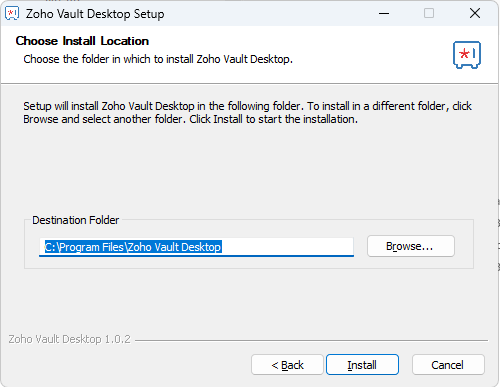
3. Log in with your Zoho account and give permissions as requested:
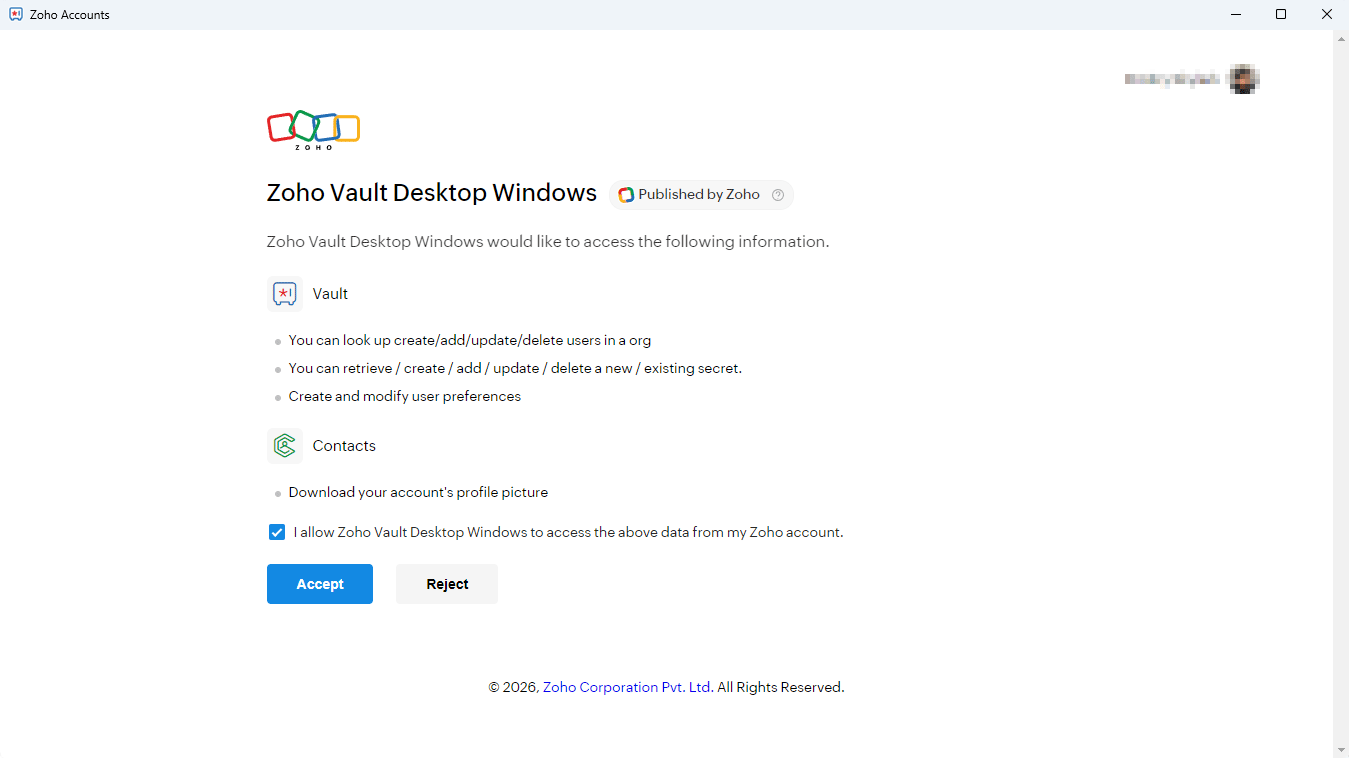
4. That’s it!
What Could Be Better
It’s a pilot version, we get it. Still, we believe that these features must be in any password manager:
- Minimize into the system tray. This is an expected behavior from any password manager.
- Clipboard timeout: once copied, the password is stored in the Windows clipboard indefinitely unless it is replaced by something else. Most modern password managers clear the clipboard after a set period. For instance, KeePass has been doing that for over 10 years already.
Bottom line: the desktop version of Zoho Vault is a valuable addition to Zoho’s desktop apps family. It can be improved.