Zoho Webinar’s New AI Recording Features Solve a Real Post-Webinar Problem
Well, that was expected, right? Zoho has just released four AI-powered recording features for Zoho Webinar: Summary, Transcript, Smart Chapters, and Highlights. So Zoho Webinar can automatically process your session recording as soon as it finishes. No manual work is required after the session ends.
The problem this addresses is genuinely frustrating for anyone who regularly runs webinars. A recording exists, but it’s essentially a locked box. Want to find where a specific topic came up? You’re scrubbing a timeline. Need to send a recap to someone who dropped off halfway through? You’re writing it yourself. We’ve seen teams just stop sharing recordings altogether because the effort of making them useful outweighed the benefit. That’s a real cost — especially for teams running recurring onboarding sessions, product demos, or training content that should be reusable assets rather than one-time events. Of course, one could use a third-party LLM to generate and process transcripts, but now this is all native:
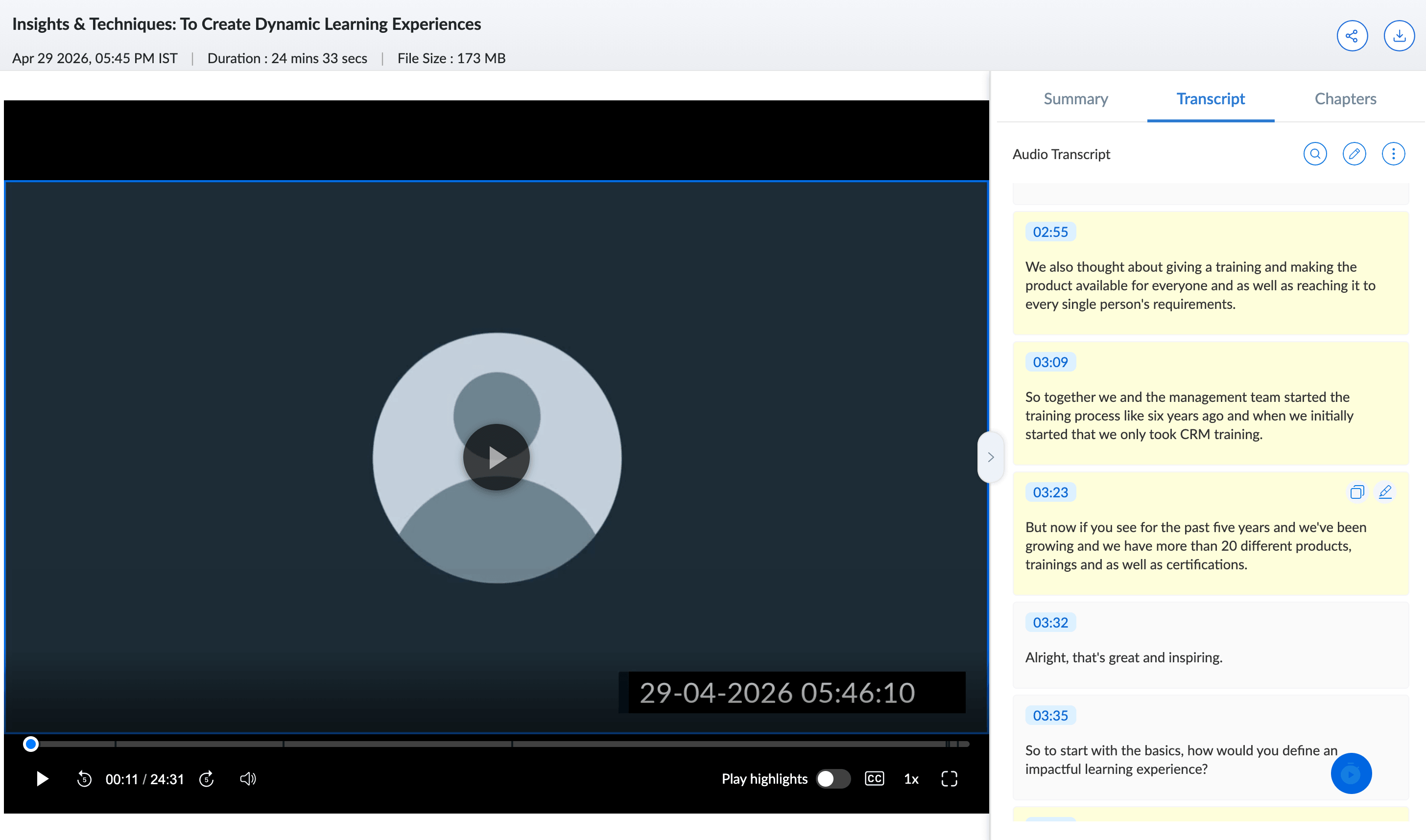
What It Does
The Smart Chapters feature is the one worth paying closest attention to. Timestamped, labeled sections that viewers can navigate like a table of contents fundamentally changes how a recording gets consumed. Instead of asking someone to watch 90 minutes, you can point them to the 12-minute section that’s actually relevant to them. That’s the difference between a recording that gets watched and one that doesn’t. Read the full announcement on Zoho’s blog for a walkthrough of all four features.
The Summary output is also worth thinking about strategically. An editable AI-generated recap that’s ready immediately after the session is a practical tool for follow-up emails, internal notes, or sales handoffs. If your team uses Zoho CRM to track deals or customer accounts, having a clean summary you can drop into a note or activity log right after a product demo webinar saves a meaningful amount of time. The sharing controls — which let you include or exclude the transcript and chapters depending on your audience — add a layer of flexibility that matters when you’re sharing the same recording in different contexts.
A Note on the Automation Angle
Everything here runs automatically once you enable it in your organization settings — there’s no trigger to set up, no post-session checklist. That’s worth emphasizing because the value of these features depends entirely on consistency. If generating a transcript required manual action after each session, it would get skipped half the time (it happened to us, too). The fact that it just happens means your recording library becomes uniformly searchable and structured over time, not just when someone remembered to do the extra step.
If your team is already using Zoho Webinar for customer-facing sessions, enabling these settings today is a straightforward win. If you’ve been on the fence about whether Zoho Webinar can handle more serious use cases like recurring training programs or multi-speaker panels, this update meaningfully raises the ceiling on what those recordings can do after the live session ends.