Zoho Sign‘s Free Trial: What to Actually Test
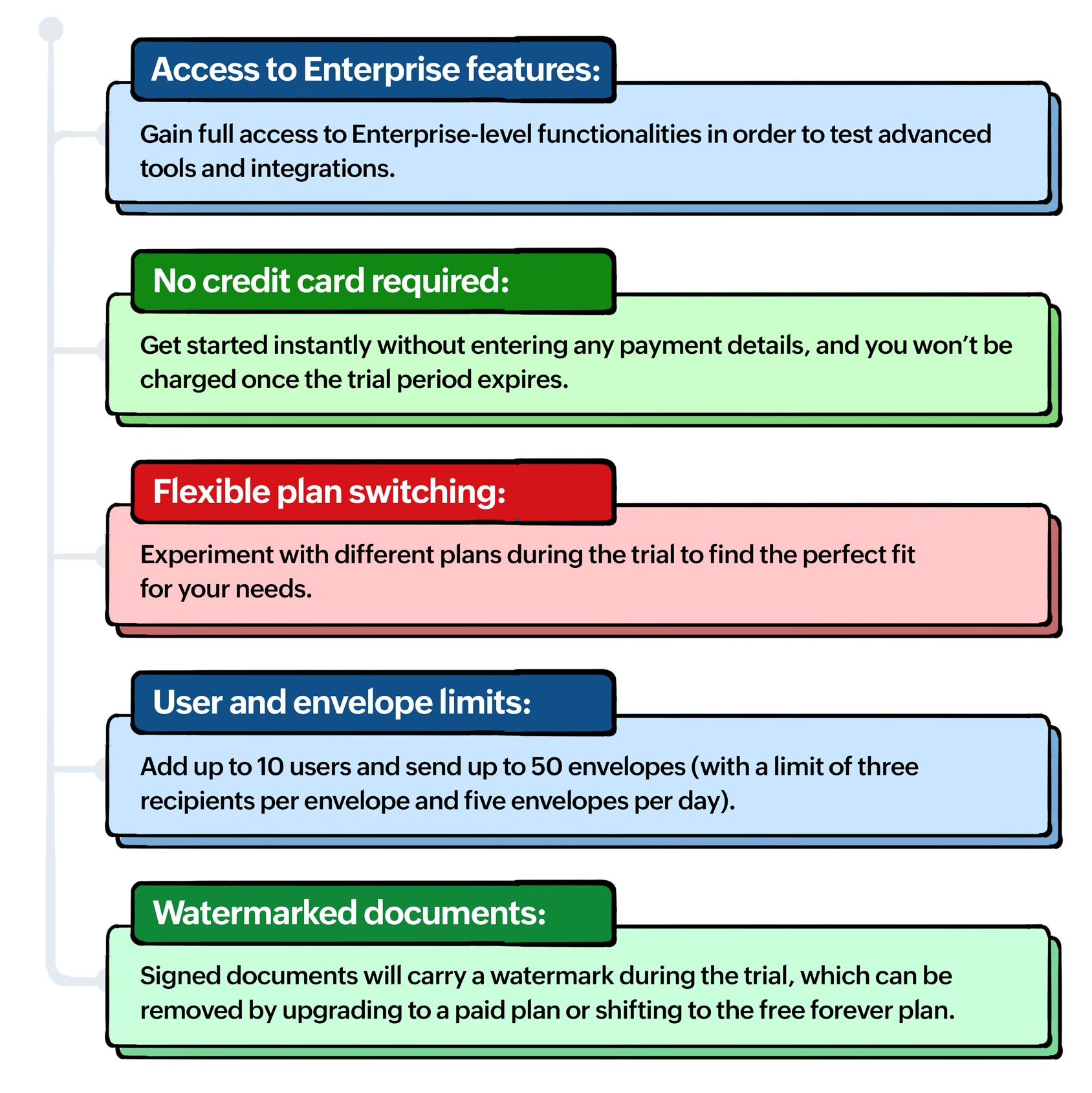
Zoho just published a walkthrough guide for the Zoho Sign free trial, covering everything from signup to the more advanced features like SignForms and bulk sending. The trial runs 14 days, gives you full Enterprise-tier access, and requires no credit card — and at the end, if you don’t upgrade, your account drops to the free plan with your data still intact.
That last detail is worth pausing on. A lot of software trials just lock you out when the clock runs out. Zoho Sign’s approach — defaulting to a permanent free tier rather than a hard stop — means there’s genuinely no risk in starting. The free plan has usage limits, but it exists, and your documents don’t disappear. That’s a meaningful difference if you’re evaluating this for a team that isn’t sure yet whether they need a paid subscription.
What’s Actually Worth Testing During the Zoho Sign Free Trial
The guide walks through the basics — signing yourself, sending to others, tracking status — but the features that tend to matter most in real business workflows are the ones people often skip during a trial because they seem optional. Templates and SignForms are the two we’d point you toward first.
Templates are the difference between Zoho Sign being a convenience and being a genuine workflow tool. If you’re sending the same contract structure repeatedly — NDAs, service agreements, onboarding paperwork — a well-built template eliminates the setup time on every subsequent send. Build two or three of your most common documents during the trial and you’ll have a much clearer sense of whether the paid plan pays for itself.
SignForms are less obvious but often more impactful for certain use cases. The ability to generate a public URL for a signable form — one you can embed on a website or share broadly — removes the friction of one-to-one document sending entirely. We’ve seen this resonate particularly with teams running enrollment processes, event registrations, or anything where a large number of people need to complete the same document without being individually invited. Read the full announcement on Zoho’s blog for the step-by-step on setting these up.
How Zoho Sign Fits Into the Broader Zoho Ecosystem
If you’re already working in Zoho CRM, Zoho Sign integrates directly — you can send documents for signature from within a deal or contact record without leaving CRM. That connection alone changes how sales teams handle contracts. Similarly, if your team uses Zoho Books, signed agreements can tie back to your financial records without manual handoffs. The trial is a good time to test those integrations specifically, not just the standalone signing experience, because that’s where the real efficiency shows up.
One practical note: during the 14-day Zoho Sign free trial, you have access to the Enterprise plan, which includes advanced authentication options, custom branding, and qualified electronic signatures. If compliance or identity verification matters for your document workflows — especially in regulated industries — those are the features to stress-test before you decide on a plan tier. The gap between the free plan and the paid tiers is significant in that area specifically.
If you’ve been putting off evaluating Zoho Sign because the setup seemed like a commitment, the no-credit-card trial structure removes that barrier. Spend the first few days on the basics, then push into templates and integrations before the 14 days are up — that’s where you’ll get the clearest picture of what the platform is actually worth to your operation.